

brand
ChileColombiaMexicoPeru
Español (ES)
  • Home
    • Frequently Asked Questions
    • Moving to Production
    • Policy for Important API Changes
    • Test Data
    • Error Codes
    • Latest Features
    • Payments Glossary
    • Introduction
    • Supported Brands
    • Functionalities by business model
    • How do Third Party Commissions work?
    • Integration guide Third Party Commissions
    One-step Payments
    • How do Card Payments Work?
    • Accept a Card Payment
    • Accept One-Time Payments with OTP
    • OTP Authentication Error Codes
    • Error codes for single card payments
    Refunds
    • Returns, cancellations, and refunds
    3DS Authentication
    • Introduction to 3DS
    • 3DS API integration
    • 3DS integration with kushki.js library
    • 3DS API integration plus kushki.js library
    • 3DS Error Codes
    • Introduction
    • Functionalities by business model
    • Error codes in recurring charges
    • Authenticate your subscriptions with 3DS
    • External subscriptions to Kushki
    Scheduled payments
    • How do Credit or Debit Card Payment Recurring Charges Work?
    • Create a recurring charge
    • Manage your Scheduled Charges
    OneClick Payments
    • Accepting One-Click Payments
    • Kushki One
      • Error Codes
      • How do Payments by Wire Transfers Work?
      • Supported banks
      • Receive Wire Transfers
      • Check Wire Transfer Status.
      • How do Cash Payments Work?
      • Accept a Cash Payment
      • Authorized locations
      • Error Codes
      • Introduction
      Shopify
      • Introduction and integration
      • Plugin Operation
      VTEX
      • VTEX Integration Guide
      • Smartlinks
      • Introduction
      Kajita
      • How Does it Work?
      • Create a Payment Form
      Payment Button
      • Overview
      • Generate a payment button
      • Onboarding vía API
      • Introduction
      • Good Practices
      • Check your Webhooks
      One-time Payments Webhooks
      • One-Time Payments with Card
      • One-Time Payments by Wire Transfer
      • One-Time Payments in Cash
      Recurring Payments Webhooks
      • Recurring Payments with Card
      Payment button Webhooks
      • Payment Button
      Smartlinks Webhooks
      • Payment Links
      Refunds Webhooks
      • Voids and Refunds
      • Chargebacks
    Log in
    ChileColombiaMexicoPeru
    Español (ES)
    • Home
      • Frequently Asked Questions
      • Moving to Production
      • Policy for Important API Changes
      • Test Data
      • Error Codes
      • Latest Features
      • Payments Glossary
      • Introduction
      • Supported Brands
      • Functionalities by business model
      • How do Third Party Commissions work?
      • Integration guide Third Party Commissions
      One-step Payments
      • How do Card Payments Work?
      • Accept a Card Payment
      • Accept One-Time Payments with OTP
      • OTP Authentication Error Codes
      • Error codes for single card payments
      Refunds
      • Returns, cancellations, and refunds
      3DS Authentication
      • Introduction to 3DS
      • 3DS API integration
      • 3DS integration with kushki.js library
      • 3DS API integration plus kushki.js library
      • 3DS Error Codes
      • Introduction
      • Functionalities by business model
      • Error codes in recurring charges
      • Authenticate your subscriptions with 3DS
      • External subscriptions to Kushki
      Scheduled payments
      • How do Credit or Debit Card Payment Recurring Charges Work?
      • Create a recurring charge
      • Manage your Scheduled Charges
      OneClick Payments
      • Accepting One-Click Payments
      • Kushki One
        • Error Codes
        • How do Payments by Wire Transfers Work?
        • Supported banks
        • Receive Wire Transfers
        • Check Wire Transfer Status.
        • How do Cash Payments Work?
        • Accept a Cash Payment
        • Authorized locations
        • Error Codes
        • Introduction
        Shopify
        • Introduction and integration
        • Plugin Operation
        VTEX
        • VTEX Integration Guide
        • Smartlinks
        • Introduction
        Kajita
        • How Does it Work?
        • Create a Payment Form
        Payment Button
        • Overview
        • Generate a payment button
        • Onboarding vía API
        • Introduction
        • Good Practices
        • Check your Webhooks
        One-time Payments Webhooks
        • One-Time Payments with Card
        • One-Time Payments by Wire Transfer
        • One-Time Payments in Cash
        Recurring Payments Webhooks
        • Recurring Payments with Card
        Payment button Webhooks
        • Payment Button
        Smartlinks Webhooks
        • Payment Links
        Refunds Webhooks
        • Voids and Refunds
        • Chargebacks
      API reference Centro de Soporte Service status Log in
      API referenceCentro de SoporteService status
      s
      brand

      Introduction

      clock February 19, 2026

      The Payment Button and Kajita are solutions that allow you to charge securely with minimal integration

      Add payment buttons and create custom forms quickly and easily.

      Get started with our guides

      Explore our guides to integrate Payment Button or Kajita.
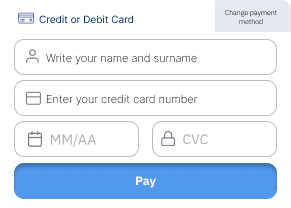
      Create a payment Kajita
      Create a payment Kajita

      Incorporate Kajita in your site
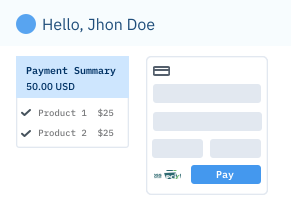
      Generate a payment button
      Generate a payment button

      Receive payment from your customers through the payment button